How to Reduce Customer Support Response Time by 80%
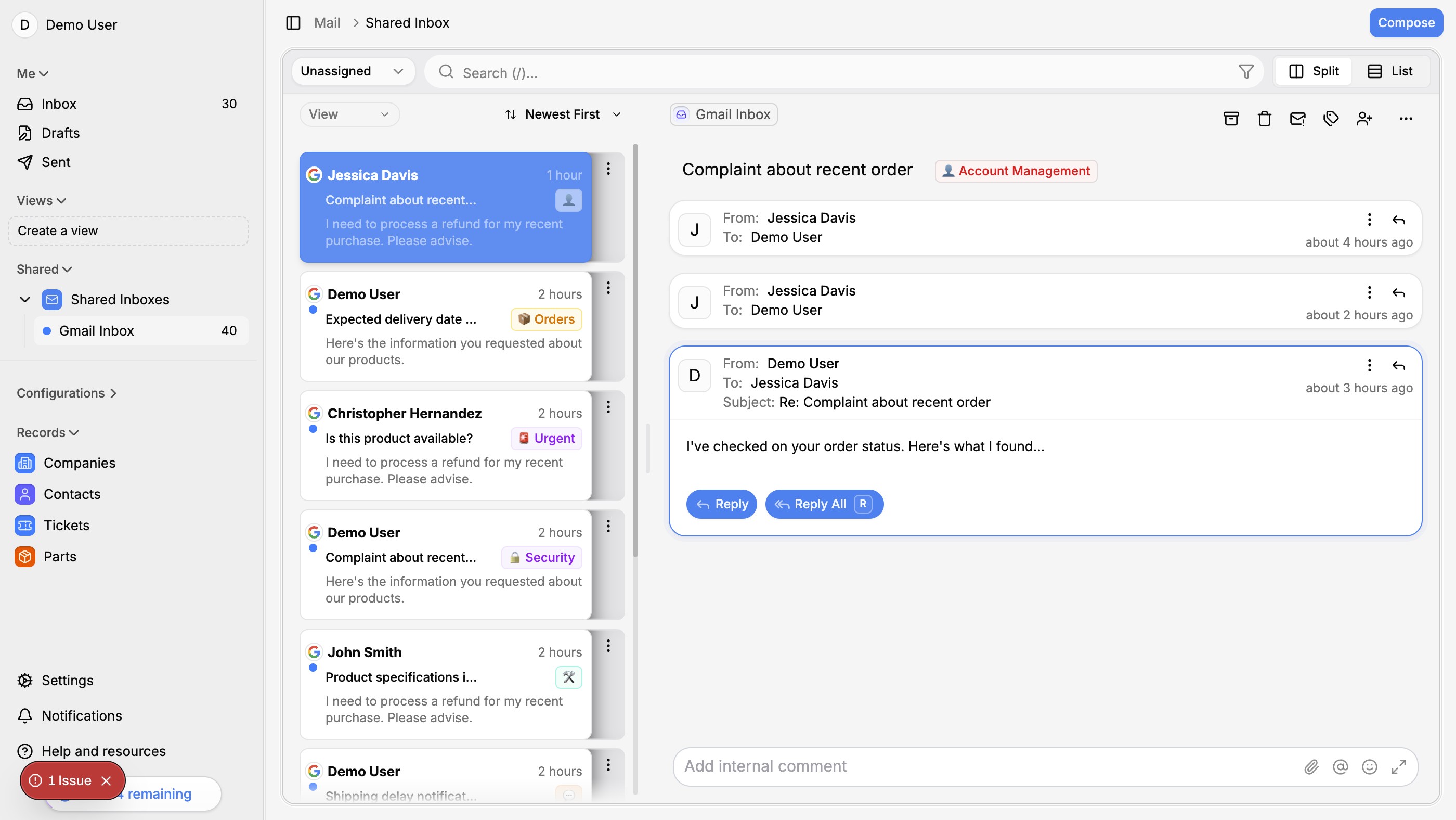

Practical strategies to dramatically cut your support response times — from inbox organization to AI-powered auto-replies.
Response time is the #1 support metric
Customers don't just want good answers — they want them fast. Research consistently shows that response time is the single biggest factor in customer satisfaction for support interactions. A correct answer delivered 4 hours late is often worse than a partial answer delivered in 5 minutes.
For e-commerce businesses, the stakes are even higher. A slow response to a pre-sale question means a lost sale. A slow response to a shipping issue means a chargeback.
Where the time actually goes
Before you can fix response times, you need to understand where the delays happen:
- Triage — figuring out what the ticket is about and who should handle it
- Context gathering — looking up the customer's order, history, and account details
- Drafting — writing the actual response
- Review — checking the response for accuracy before sending
- Waiting — tickets sitting in a queue because the team is busy
Most of these steps are either automatable or can be significantly accelerated.
5 strategies that actually work
1. Auto-categorize incoming tickets
Use AI to tag tickets by type (order status, returns, product questions, etc.) as they come in. This eliminates triage time and ensures tickets reach the right person immediately.
2. Surface relevant context automatically
When an agent opens a ticket, they should see the customer's order history, previous conversations, and account details without clicking through multiple tabs. This alone saves 2-3 minutes per ticket.
3. Use AI-drafted replies
AI can draft responses to common questions in seconds. The agent reviews, edits if needed, and sends. This cuts drafting time from 5 minutes to 30 seconds for routine tickets.
4. Create response templates for edge cases
Not everything can be automated. But you can create templates for your 20 most common edge cases, so agents aren't writing the same nuanced response from scratch every time.
5. Set up smart routing and priorities
VIP customers, urgent issues, and pre-sale questions should jump the queue. AI can assess priority based on the content and route accordingly.
The compounding effect
These strategies don't just add up — they compound. When triage is instant, context is pre-loaded, and drafts are ready, your team can handle 3-4x the volume with the same headcount. That means fewer tickets waiting in the queue, which means even faster response times.
The result: response times drop from hours to minutes, and your team focuses on the cases that actually need human judgment.
If you are picking a tool to put these strategies into practice, our roundup of the best AI customer support software for small businesses compares ten options on pricing, AI features, and fit.