Building a Custom Fields System (Part 3): The Frontend Sync Engine
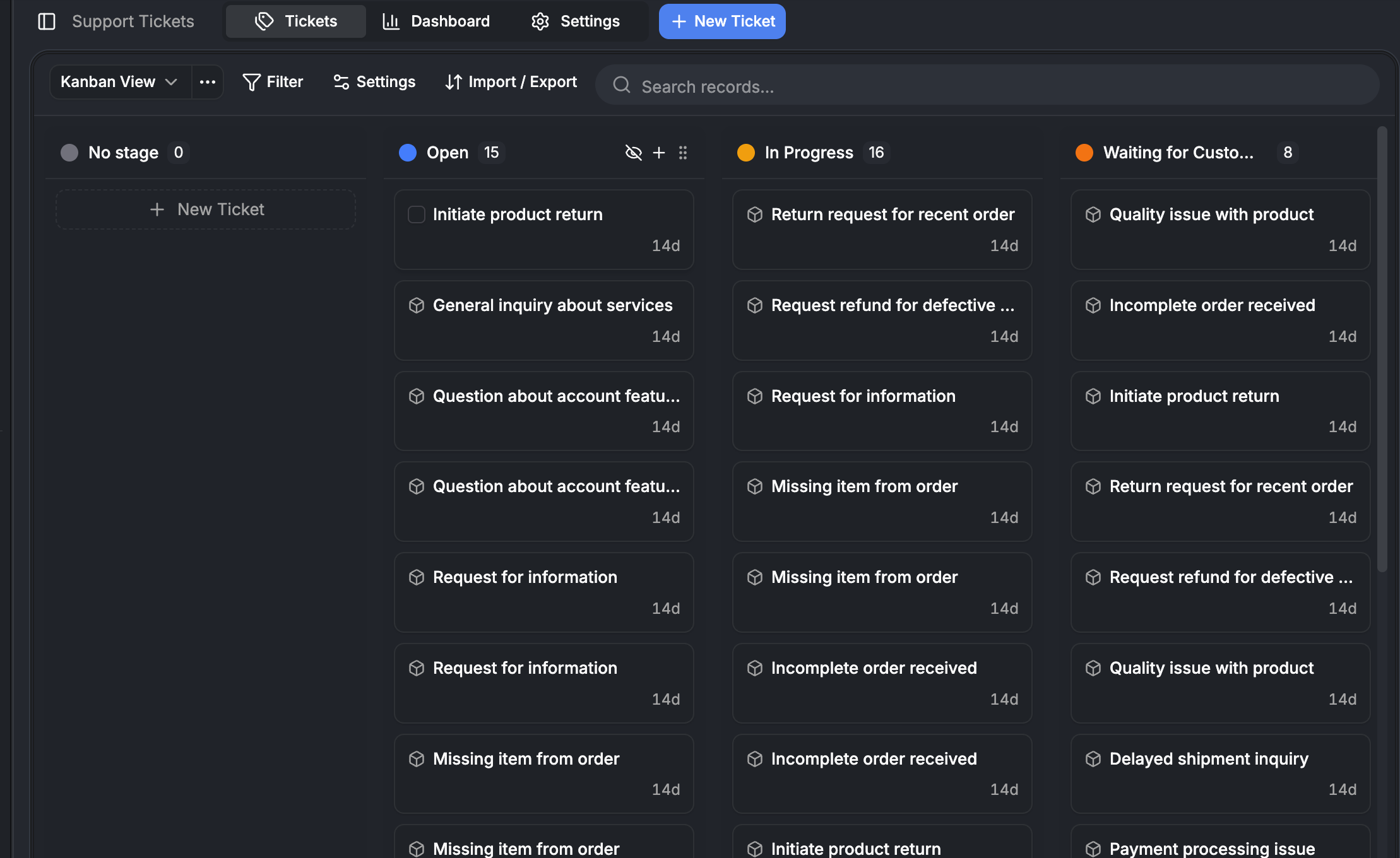

How we built a reactive sync engine with three Zustand stores, batched fetching, optimistic updates with automatic rollback, client-side computed fields, and mutation versions that prevent race conditions.
This is Part 3 of our custom fields deep dive — and the holiday finale. Part 1 covered the schema. Part 2 covered the backend. This post covers what the user actually sees — and the machinery that makes it feel instant.
Merry Christmas and happy holidays from the Auxx.ai team. We figured wed close out the year by open-sourcing the hardest part of our frontend architecture.
The frontend challenge
The backend can return any number of fields for any entity type. The frontend needs to render them all — in tables, forms, kanban boards, and detail panels.
A table with 50 rows and 10 columns means 500 field values. The naive approach: fetch everything upfront, re-render the whole table on any change. That doesnt scale. Changing one cell shouldnt re-render 499 others.
What we built instead: a reactive sync engine with three independent stores, a batched fetch queue, optimistic updates with automatic rollback, and client-side computed field evaluation.
The design principles:
- Fetch what you need, when you need it. Visible columns only, batched.
- Row-level reactivity. Changing one cell doesnt re-render the table.
- Optimistic by default. Every edit feels instant. Rollback on failure.
- Computed fields are client-side. CALC and NAME fields are never stored. Always derived.
Three stores, three lifecycles
The frontend state is split across three Zustand stores. Each one caches data that changes at a different rate.
Resource store — field definitions (stable)
Caches field metadata and resource definitions. Changes when someone adds, edits, or removes a field — maybe once per session.
interface ResourceStoreState {
  serverFieldMap: Record<ResourceFieldId, ResourceField>
  fieldMap: Record<ResourceFieldId, ResourceField>  // server + optimistic overlay
  optimisticNewFields: Record<ResourceFieldId, ResourceField>
  optimisticDeletedFields: Set<ResourceFieldId>
  resources: Resource[]
  resourceMap: Record<string, Resource>
  systemAttributeMap: Record<string, ResourceFieldId>
}
Record store — record metadata (medium volatility)
Caches record-level data (display name, avatar) and list state. Changes when records are created, deleted, or when display fields update.
interface RecordStoreState {
  records: Record<string, Map<string, RecordMeta>>  // entityDefId → id → meta
  lists: Record<string, ListCache>                   // listKey → cached state
  pendingFetchIds: Set<RecordId>
  loadingIds: Set<RecordId>
  notFoundIds: Set<RecordId>
}
List caching uses a deterministic hash of (entityDefId, filters, sorting) with a 5-minute TTL. Any mutation invalidates all lists for that entity type.
Field value store — cell data (high volatility)
The busiest store. Every individual field value displayed in the UI lives here.
interface FieldValueStoreState {
  values: Record<FieldValueKey, StoredFieldValue>
  fetchingKeys: Record<FieldValueKey, true>
  pendingUpdates: Record<FieldValueKey, PendingUpdate>
  mutationVersions: Record<FieldValueKey, number>
}
The composite key encodes everything:
// format: "entityDefId:instanceId:fieldRefKey"
buildFieldValueKey(recordId, fieldRef)

// examples:
"contact:abc123:contact:email"       // contacts email
"company:xyz789:company:name"        // companys name
Why three stores instead of one? Different invalidation lifecycles. Field definitions change once per session. Field values change on every edit. Keeping them separate means a field value update doesnt trigger re-renders in components that only care about field definitions.
The fetch queue — turning 500 requests into 5
The problem
A table with 50 rows and 10 visible columns needs 500 field values. Without batching, thats 500 API calls.
The solution
A singleton fetch queue collects requests from across the UI and batches them:
const BATCH_SIZE = 100         // max records per API call
const DEFAULT_DEBOUNCE_MS = 50 // wait before flushing
The flow:
- Queue. Any component calls
queueFetch(recordId, fieldRef) - Deduplicate. Already cached, loading, or queued values are skipped
- Decompose. CALC and NAME fields are decomposed into source fields (computed client-side)
- Debounce. 50ms timer — most table renders complete within one tick
- Flush. Group by unique recordIds and fieldRefs, chunk to max 100 records
- Fetch. Single
fieldValue.batchGetAPI call per chunk - Distribute. Results written to field value store, triggering cell re-renders
The deduplication is critical:
queueFetch(recordId, fieldRef) {
  const key = buildFieldValueKey(recordId, fieldRef)

  if (store.values[key] !== undefined) return false  // cached
  if (store.fetchingKeys[key]) return false           // already fetching
  if (this.pendingQueue.has(key)) return false         // already queued

  store.markFetching(key)  // show skeleton immediately
  this.pendingQueue.set(key, { recordId, fieldRef })
  this.scheduleFlush()
  return true
}
Uses Promise.allSettled for chunk fetches. A failed chunk doesnt block others. Failed keys are set to null — distinguishing "empty value" from "not fetched yet".
The syncer — table-level coordination
useFieldValueSyncer is the table-level hook that feeds the fetch queue:
useFieldValueSyncer({
  recordIds,           // all record IDs in the table
  columnVisibility,    // from @tanstack/react-table
  resourceFieldIds,    // column IDs
  debounceMs: 150,     // higher than queues 50ms
})
It filters by columnVisibility — hidden columns dont trigger fetches. Debounces at 150ms so table renders settle first. Returns stable accessor functions that read from the store via getState() — these dont cause re-renders.
Row-level reactivity
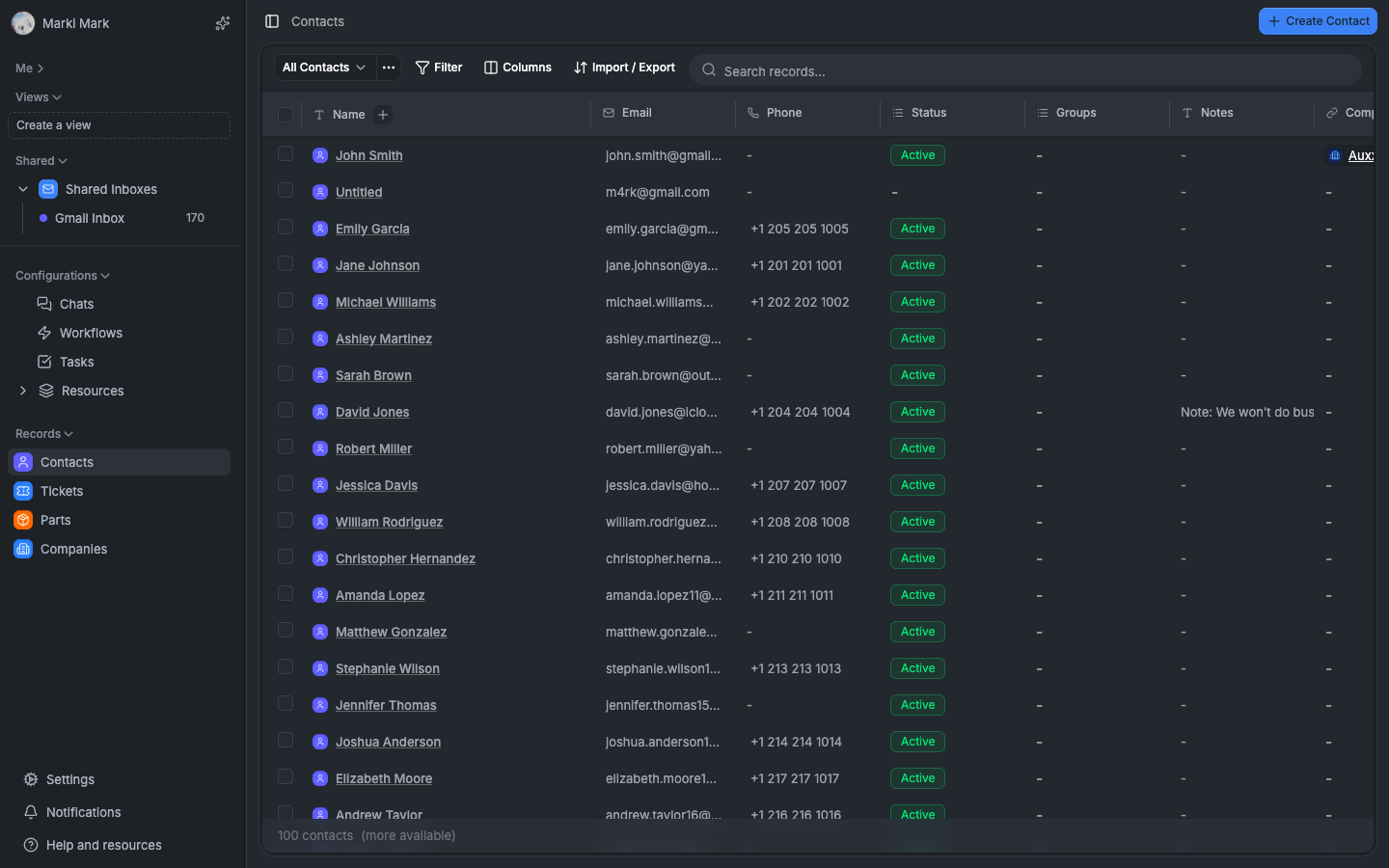
Each table row subscribes to its own data independently:
Table Component
  ├── useRecordList → returns recordIds (array of strings)
  ├── Row ("contact:abc")
  │     ├── useFieldValue("contact:abc", "contact:email")
  │     ├── useFieldValue("contact:abc", "contact:phone")
  │     └── useFieldValue("contact:abc", "contact:company")
  ├── Row ("contact:def")
  │     ├── useFieldValue("contact:def", "contact:email")
  │     └── ...
useFieldValue — granular subscription
function useFieldValue(recordId, fieldRef, { autoFetch } = {}) {
  const key = buildFieldValueKey(recordId, fieldRef)

  // subscribe to ONLY this key
  const value = useFieldValueStore(state => state.values[key])
  const isLoading = useFieldValueStore(state => !!state.fetchingKeys[key])

  // auto-fetch on mount if not cached
  useLayoutEffect(() => {
    if (autoFetch && !requestedRef.current.has(key)) {
      requestedRef.current.add(key)
      fieldValueFetchQueue.queueFetch(recordId, fieldRef)
    }
  }, [key])

  return { value, isLoading }
}
Why useLayoutEffect? It runs synchronously before the browser paints. The fetch is queued before the component shows — preventing a flash of skeleton state for values that are about to arrive.
Why getState() in the syncer but subscriptions in cells? The syncer runs once per table render — it doesnt need to react to individual value changes. Cells need to re-render when their specific value changes. Different tools for different jobs.
useRecordList — infinite scroll with snapshots
function useRecordList({ entityDefinitionId, filters, sorting, limit = 50 }) {
  const query = api.record.listFiltered.useInfiniteQuery({
    entityDefinitionId, filters, sorting, limit,
  }, {
    getNextPageParam: (lastPage) => lastPage.nextCursor,
  })

  const recordIds = useMemo(() =>
    query.data?.pages.flatMap(p => p.ids) ?? [],
    [query.data]
  )

  // queue record metadata fetches
  useEffect(() => {
    for (const id of recordIds) requestRecord(id)
  }, [recordIds])

  return { recordIds, total, isLoading, hasNextPage, fetchNextPage }
}
IDs first, data later. The list query returns only IDs. Record metadata and field values are fetched separately via the batch fetcher and fetch queue. The table structure renders immediately — cells show skeletons while their values load.
Cursor format: { snapshotId, offset } — backed by Redis snapshots on the server (covered in Part 2).
Stable references. EMPTY_FILTERS and EMPTY_SORTING constants prevent infinite re-render loops from [] !== [].
Record batch fetcher
When useRecordList returns IDs, the batch fetcher retrieves record metadata. Single API call handles mixed entity types:
record.getByIds([
  "contact:abc123",
  "ticket:xyz789",
  "company:def456",
])
50ms debounce, max 100 per batch. Results are grouped by entity type and stored in the record store. Field values are hydrated into the field value store from the record data.
Optimistic updates — feel instant, rollback on failure
Every field edit follows the same pattern: prepare → mutate → confirm/rollback.
Prepare
function prepareOptimisticUpdate(key, newValue, fieldType) {
  // 1. increment mutation version (race tracking)
  const version = store.incrementMutationVersion(key)

  // 2. capture old value for rollback
  const oldValue = store.values[key]

  // 3. apply optimistic update immediately
  store.setValueOptimistic(key, newValue, oldValue)

  // 4. for RELATIONSHIP fields: extract related IDs for inverse sync
  const inverseInfo = extractInverseInfo(fieldType, oldValue, newValue)

  return { version, oldValue, inverseInfo }
}
Fire and forget
function saveFieldValue(recordId, fieldId, value, fieldType) {
  const key = buildFieldValueKey(recordId, toResourceFieldId(entityDefId, fieldId))
  const prep = prepareOptimisticUpdate(key, value, fieldType)

  // mutation runs in background — UI already updated
  fieldValueSet.mutate(
    { recordId, fieldId, value },
    {
      onSuccess: (result) => handleMutationSuccess(key, prep.version, result),
      onError: (error) => handleMutationError(key, prep.version, prep),
    }
  )
}
The UI updates before the API call even starts. The user sees their change immediately. If the server confirms, great. If it rejects, roll back.
Success — but only if still current
function handleMutationSuccess(key, version, result) {
  const currentVersion = store.mutationVersions[key]

  // only apply if not superseded by a newer mutation
  if (version < currentVersion) return false

  store.confirmOptimistic(key)
  return true
}
Error — rollback with inverse undo
function handleMutationError(key, version, prep) {
  const currentVersion = store.mutationVersions[key]
  if (version < currentVersion) return  // superseded, skip

  // restore original value
  store.rollbackOptimistic(key)

  // rollback inverse relationship cache (swap old/new)
  if (prep.inverseInfo) {
    syncInverseCache({
      oldRelatedRecordIds: prep.newRelatedRecordIds,  // swap!
      newRelatedRecordIds: prep.oldRelatedRecordIds,  // swap!
      inverseInfo: prep.inverseInfo,
    })
  }
}
The inverse rollback swaps old and new — undoing the optimistic relationship sync from the prepare phase.
Mutation versions — solving race conditions
This is the key insight. If a user types "Hello" in a field, then quickly types "World", two mutations fire. The "Hello" response might arrive after "World". Without version tracking, "Hello" would overwrite "World".
User types "Hello" → version 1 → mutate
User types "World" → version 2 → mutate (optimistic: shows "World")
Server confirms "Hello" (v1) → v1 < current (v2) → SKIP
Server confirms "World" (v2) → v2 === current → APPLY
Each mutation increments the version. Success and error handlers only apply if their version is current or newer. Stale responses are silently dropped.
Simple. No timestamps, no clock sync, no vector clocks. A monotonic integer counter per key, reset per session.
Bidirectional relationship sync — client-side
When a relationship field changes optimistically, both sides need to update in the cache — without waiting for the server.
function syncInverseCache({ sourceRecordId, oldRelatedIds, newRelatedIds, inverseInfo }) {
  const removed = old - new
  const added = new - old

  for (const removedId of removed) {
    const inverseKey = buildFieldValueKey(removedId, inverseInfo.fieldRef)

    if (inverseInfo.isSingleValue) {
      store.setValue(inverseKey, null)       // clear single-value inverse
    } else {
      // filter out source from multi-value array
      store.setValue(inverseKey, current.filter(v => v.recordId !== sourceRecordId))
    }
  }

  for (const addedId of added) {
    const inverseKey = buildFieldValueKey(addedId, inverseInfo.fieldRef)

    if (inverseInfo.isSingleValue) {
      store.setValue(inverseKey, { type: 'relationship', recordId: sourceRecordId })
    } else {
      store.setValue(inverseKey, [...current, { type: 'relationship', recordId: sourceRecordId }])
    }
  }
}
Only syncs cached keys. If the inverse field isnt in the cache (not visible in any open table), the sync is skipped. The server handles it. The next fetch will be correct.
Cascade for single-value inverses. When a target can only have ONE owner (belongs_to/has_one), the system scans cached entities of that type and removes the target from any previous owners collection.
Computed fields — client-side evaluation
CALC and NAME fields are never stored in the database. Theyre computed client-side from source field values using a dependency graph.
The registry
class ComputedFieldRegistry {
  configs: Map<ResourceFieldId, CalcConfig>
  dependencyGraph: Map<ResourceFieldId, Set<ResourceFieldId>>  // source → dependents

  register(fieldId, config) {
    this.configs.set(fieldId, config)
    for (const sourceFieldId of Object.values(config.sourceFields)) {
      this.dependencyGraph.get(sourceFieldId)?.add(fieldId)
    }
  }
}
The registry auto-syncs with the resource store. When field definitions load, CALC and NAME fields are automatically registered with their source field dependencies.
Reactive evaluation
Triggered inside setValues() on the field value store:
function computeDependentCalcValues(changedKeys, currentValues) {
  const results = {}
  const processed = new Set()  // prevents circular loops

  for (const changedKey of changedKeys) {
    const dependents = computedFieldRegistry.getDependents(fieldRef)

    for (const calcFieldId of dependents) {
      if (processed.has(calcFieldId)) continue
      processed.add(calcFieldId)

      const config = computedFieldRegistry.getConfig(calcFieldId)

      // gather source values from store
      const sourceValues = {}
      for (const [placeholder, sourceFieldId] of Object.entries(config.sourceFields)) {
        sourceValues[placeholder] = currentValues[buildFieldValueKey(recordId, sourceFieldId)]
      }

      // evaluate
      results[calcKey] = evaluateCalcExpression(config.expression, sourceValues)
    }
  }

  return results  // merged into store state
}
Change a source field → dependent CALC fields recompute automatically. Cascading dependencies (CALC depending on CALC) are handled in order.
Fetch queue integration
When the fetch queue sees a CALC field request, it doesnt fetch it from the server. It fetches the source fields instead:
queueFetch(recordId, calcFieldRef) {
  const config = computedFieldRegistry.getConfig(calcFieldRef)
  if (config) {
    for (const sourceFieldRef of Object.values(config.sourceFields)) {
      this.queueFetch(recordId, sourceFieldRef)
    }
    return  // store will compute the result when sources arrive
  }
}
No server round-trip for computed values. Fetch the inputs, compute the output in-memory.
The UI layer — from store to screen
Table cells
Each cell in the dynamic table:
- Decodes column ID to
FieldReference useFieldValue(recordId, fieldRef, { autoFetch: true })— subscribes to the valueuseField(resourceFieldId)— gets field metadata (type, options, config)- Uses
effectiveFieldTypefor rendering (CALC fields use their result type) - Delegates to
FormattedCellfor type-specific display
Inline editing
Clicking a cell opens an inline editor directly in the table. The editor is wrapped in a PropertyProvider that manages the edit lifecycle:
interface PropertyProviderValue {
  commitValue(value)       // fire-and-forget save
  commitValueAsync(value)  // async (for FILE fields needing returned IDs)
  trackChange(value)       // local change without save
  commitAndClose()         // save dirty value and close
  cancel()                 // revert to server value
  isDirty: boolean
}
Escape cancels. Click-outside saves. The PropertyProvider handles dirty detection with hasValueChanged() — which correctly compares arrays, objects, and treats empty string as equivalent to null.
Field input adapter
Routes to the correct input component based on field type:
| Field Type | Component |
|---|---|
| TEXT | StringInput |
| NUMBER | NumberInput |
| CHECKBOX | BooleanInput |
| DATE / DATETIME / TIME | DateTimeInput |
| SINGLE_SELECT / MULTI_SELECT | SelectFieldInput |
| RELATIONSHIP | MultiRelationInput |
| FILE | FileInput |
| CURRENCY | CurrencyInput |
| ACTOR | ActorPicker |
| NAME | NameFieldInput |
| ADDRESS_STRUCT | AddressInput |
| PHONE_INTL | PhoneInput |
Each input component receives value + onChange. It doesnt know about persistence. The PropertyProvider handles all save/cancel/dirty logic above it.
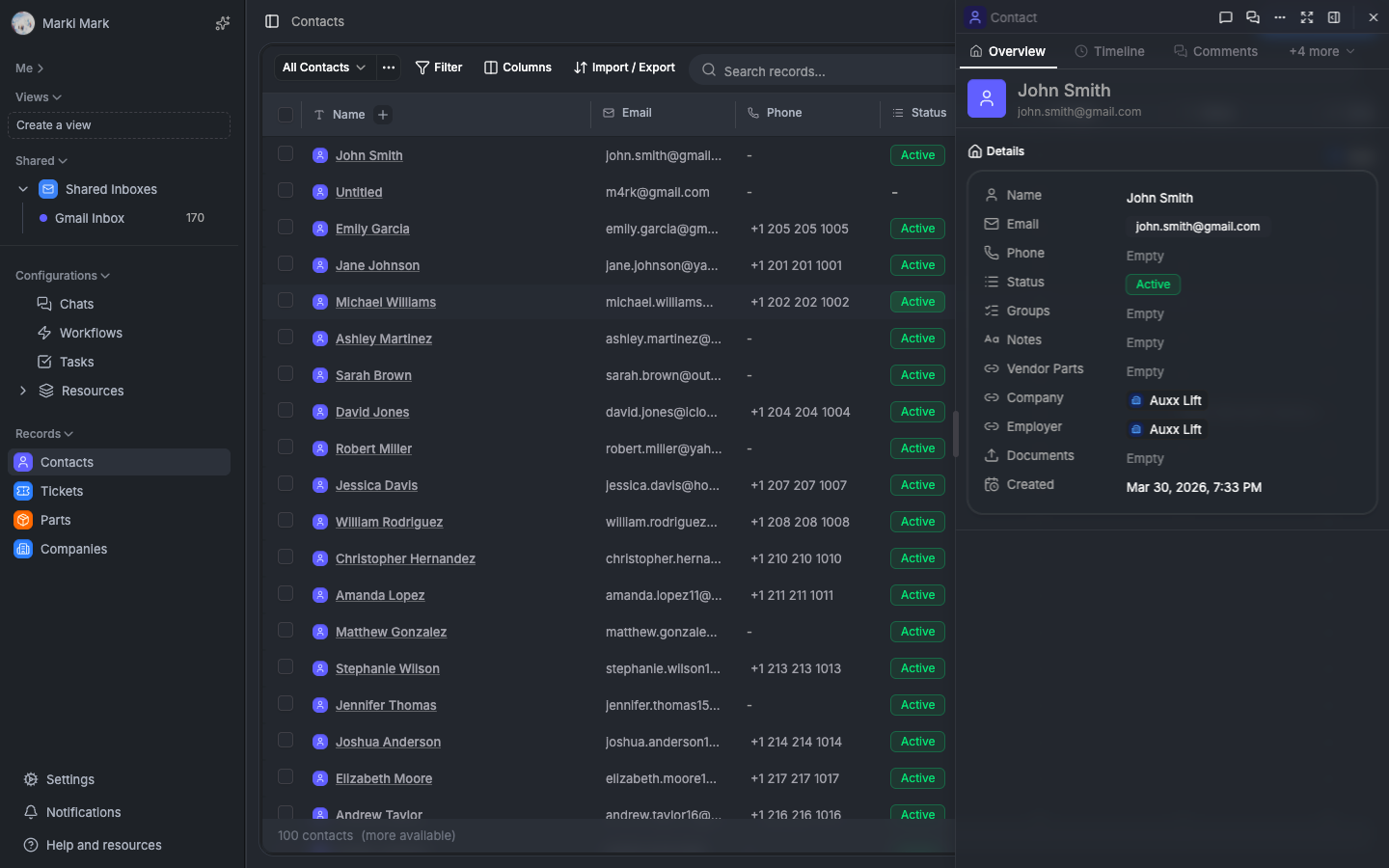
Kanban view — drag-and-drop with bulk updates
The kanban board groups records by a SINGLE_SELECT field value. Each column is an option. Drag a card between columns to change its value.
// reads from field value store reactively
const groupValue = useFieldValue(recordId, groupByFieldRef)
Drag-and-drop uses @dnd-kit. Multi-select drag pulls all selected cards. The update is optimistic:
// on drop: update field value for all dragged cards immediately
saveBulkValues(draggedRecordIds, groupByFieldId, newOptionValue)
The store updates. The cards move. The API catches up in the background.
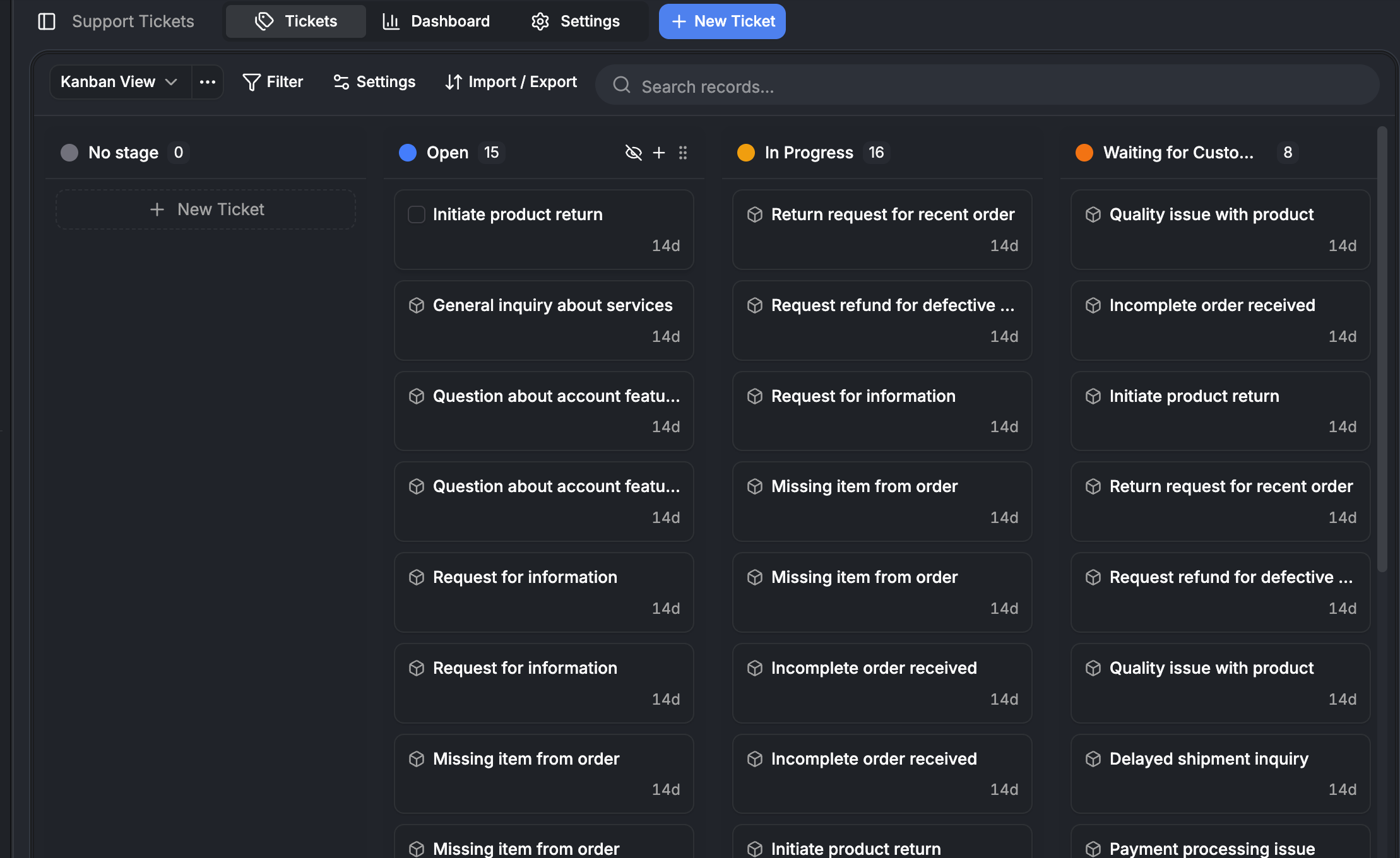
Entity instance dialog
The create/edit dialog has two modes.
Normal mode is the form. Fields rendered via FieldInputAdapter. NAME fields auto-split into firstName/lastName before save. Required field validation with per-field error messages. "Create more" toggle for batch creation.
Config mode is the field layout editor. Drag-and-drop field reordering with @dnd-kit/sortable. Toggle visibility per field. Context-aware — different layouts for create vs edit dialogs. Persisted as table views.
The complete data flow
User opens table view
  │
  ├── useRecordList
  │     → api.record.listFiltered → returns IDs only
  │
  ├── useRecordBatchFetcher (50ms debounce)
  │     → api.record.getByIds → RecordMeta stored
  │     → hydrateFieldValues → field value store populated
  │
  ├── useFieldValueSyncer (150ms debounce)
  │     → filters by visible columns
  │     → decomposes CALC fields to sources
  │     → fieldValueFetchQueue → api.fieldValue.batchGet
  │     → results → field value store → cell re-renders
  │
  ├── Each cell: useFieldValue(recordId, fieldRef)
  │     → subscribes to ONE key in field value store
  │     → re-renders only when THIS value changes
  │
  └── User edits a cell:
        ├── prepareOptimisticUpdate → store updated immediately
        ├── syncInverseCache → relationship cache updated
        ├── api.fieldValue.set → server mutation (background)
        ├── Success → confirmOptimistic
        └── Error → rollbackOptimistic + inverse rollback
Performance characteristics
| Metric | Value | How |
|---|---|---|
| Initial table render | 1 query (IDs only) | snapshot-cached on server |
| Record metadata | 1 batch per 100 records | 50ms debounced |
| Field values | 1 batch per 100 records x 50 fields | deduped fetch queue |
| Cell re-render scope | single cell | granular Zustand subscriptions |
| Edit latency (perceived) | 0ms | optimistic update before mutation |
| CALC field evaluation | ~0ms | in-memory, no API call |
| Infinite scroll page | cached snapshot slice | no re-query |
Trade-offs
| Decision | Trade-off | Why |
|---|---|---|
| Three separate stores | more complexity | different invalidation lifecycles |
| Composite string keys | string ops overhead | single-key O(1) lookups in flat objects |
| Fetch queue singleton | global mutable state | multiple UI surfaces share one batch |
| Optimistic-first | rollback complexity | users expect instant feedback |
| Client-side CALC | client CPU | avoids storing computed values; dependency graph handles cascading |
| 150ms + 50ms double debounce | 200ms worst-case | prevents redundant work as table settles |
useLayoutEffect for auto-fetch | synchronous pre-paint | prevents skeleton flash |
| Mutation versions (not timestamps) | monotonic integer | simpler than clock sync; resets per session |
Wrapping up
This 3-part series covered the full stack of our custom fields system — from the four-table schema design and template engine in Part 1, through the backend write pipeline, EAV query patterns, and snapshot caching in Part 2, to the frontend sync engine with batched fetching, optimistic updates, and computed fields in this post.
The whole thing is open source. If youre building something similar — a CRM, a project management tool, anything where users need custom data models — we hope this series saves you some of the trial and error we went through.
Happy holidays. See you in the new year.