Building Your Own App Store from Scratch (Part 3): Runtime, Workflows, and the Marketplace

How installed apps run inside Auxx.ai at runtime — the surface-based extension system, workflow triggers and blocks, caching strategy, access control, and admin governance.
How apps actually run
In part 1 we covered the data model and security model. In part 2 we covered the developer portal. Now lets talk about what happens when an app is installed and running inside the platform.
This is the part where everything comes together — the schema, the SDK, the bundles, the iframe sandbox. An installed app isnt just a row in a database. Its a live extension that registers surfaces, handles events, runs workflow blocks, and renders UI inside the platform.
The extension system — the app store at runtime
At the center of the runtime is the app store (apps/web/src/lib/extensions/app-store.ts). Not the marketplace page — the in-memory runtime that manages running app instances.
Surface-based extensions
Apps dont monkey-patch the UI. They register surfaces — typed extension points that the platform renders in the right place. There are five surface types:
| Surface | Where it appears | Example |
|---|---|---|
record-action | Action menu on individual records | "Sync to Salesforce" |
bulk-record-action | Toolbar when multiple records are selected | "Tag selected as VIP" |
record-widget | Custom panel on the record detail page | Live order status from Shopify |
workflow-step | Block in the workflow builder | "Create Jira ticket" |
workflow-trigger | Event source for workflows | "When a new order is placed" |
When an app loads, it sends a set-surfaces PostMessage declaring what it provides. The app store registers these surfaces and the platform queries them when rendering the relevant UI.
Surface predicates control visibility. An app can say "only show this action for ticket records" or "only show this widget when the record has a Shopify order attached." Predicates are evaluated client-side against the current record context — no extra API calls.
Message clients and lifecycle
Each installed app gets a message client — an object that manages the PostMessage connection to that app's iframe. The app store manages the lifecycle:
- App loads — iframe created, client bundle loaded, PostMessage handshake
- Surfaces registered — app sends
set-surfaces, platform indexes them - User interaction — platform sends
trigger-surfacewhen user clicks an action - App responds — renders UI via
render-component, opens dialogs, calls server functions - App unloads — iframe removed, message client cleaned up, surfaces deregistered
The message client handles all the PostMessage plumbing — request/response matching via requestId, timeouts, origin validation. Apps communicate through a clean API without knowing any of this exists.
Dialog management
Apps can open modal dialogs via PostMessage. The app store manages a dialog stack — open, close, update content. Dialogs render the app's serialized React tree using the component registry from part 1.
This is where the React-over-PostMessage architecture really pays off. An app can open a dialog, render a form, handle submissions, show loading states, display results — all through the same serialized component protocol. From the user's perspective, the dialog looks and feels native.
Workflow integration
This is where apps become truly powerful. An app can define custom workflow blocks and triggers that integrate directly into the visual workflow builder.
App triggers
An app trigger lets external events start a workflow. Heres the flow:
External service (Shopify, Stripe, etc.)
  → sends webhook to Auxx's public URL
  → AppWebhookHandler routes to the right app + installation + trigger
  → App handler parses the webhook payload into structured triggerData
  → Platform dispatches matching workflows with the trigger data
The routing is the interesting part. When a webhook arrives, AppWebhookHandler looks up which app installation and trigger should handle it. The app's server-side trigger handler then parses the raw webhook payload into a typed triggerData object that the workflow can use.
Trigger inputs are exposed as workflow variables. If a Shopify order trigger outputs orderId, customerEmail, and orderTotal, downstream workflow blocks can reference them as {{triggerNodeId.orderId}}, {{triggerNodeId.customerEmail}}, etc.
Triggers also support filters. A developer can define filter criteria so the trigger only fires for specific event types. For example, a Shopify order trigger might only fire for orders above $100, or a Stripe trigger might only fire for failed payments. Filters are evaluated before dispatching, so workflows dont get clogged with irrelevant events.
App workflow blocks
Apps define custom workflow steps with typed input/output schemas:
{
  id: 'create-jira-ticket',
  title: 'Create Jira Ticket',
  description: 'Creates a new ticket in Jira',
  inputs: {
    summary: { type: 'string', required: true },
    description: { type: 'string' },
    projectKey: { type: 'string', required: true },
    priority: { type: 'select', options: ['Low', 'Medium', 'High'] },
  },
  outputs: {
    ticketId: { type: 'string' },
    ticketUrl: { type: 'string' },
  }
}
At runtime, the block processor (app-workflow-block-processor.ts) handles execution:
- Resolve dynamic variables —
{{variable}}syntax for referencing upstream data - Validate inputs against the declared schema
- Execute the app's server function via Lambda with full context
- Validate and coerce the output against the declared schema
- Store the result for downstream blocks to reference
Block format is appId:blockId — namespaced to avoid collisions between apps.
Each block is configurable: timeout, caching behavior, whether it has side effects, retry policy. Blocks marked as side-effect-free can be cached — if the same inputs appear again, the cached result is returned without re-executing. Blocks with side effects always execute fresh.
The execution happens in Lambda, not in the main process. The platform passes context in (installation ID, settings, connection credentials, input values) and gets structured output back. App code cant access other organizations' data, cant crash the main process, and cant hold open long-running connections.
The marketplace UI
Browse and install
The marketplace page (/app/settings/apps) has two sections:
- Installed apps — shows the first 3 with a "view all" link. Quick access to configure or uninstall.
- Browse — category sidebar, search, paginated grid of app cards.
App cards show the developer name, verification badge (if verified), install status, and a short description. Clicking opens the app detail page with the full overview, screenshots, and install button.
The settings dialog
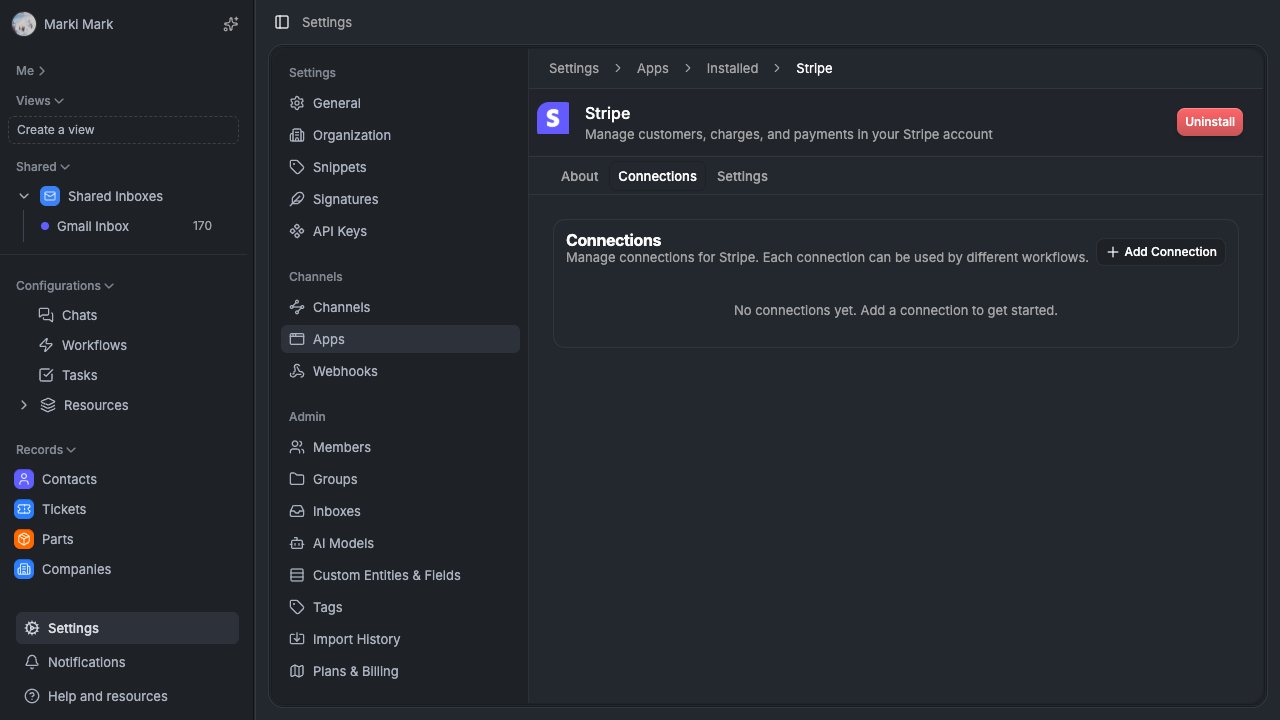
After installation, each app gets a settings dialog with three tabs:
About — app info, description, developer details.
Connections — where the organization provides their credentials. API keys are masked after entry (show last 4 characters). OAuth2 connections launch a full OAuth flow. Custom connection variables show as a key-value form.
Settings — this is the dynamic form generated from the deployment's settings schema. The rendering flow:
- Schema extracted at build time → stored as JSON in
AppDeployment.settingsSchema - At render time,
getSettingsSchemareturns the schema for the active deployment settings-form-renderer.tsxdynamically builds a form from the schema nodes- String → text input, number → number input, boolean → toggle, select → dropdown, struct → fieldset
- On save, the server converts the schema to Zod and validates before persisting
- Settings are merged with schema defaults so apps always get a complete config object
The key insight: the form is a convenience. The real validation happens server-side by converting the settings schema to a Zod schema and running the submitted values through it. Even if someone bypasses the form and posts raw JSON, the server validates against the same schema the developer defined in their SDK code.
Caching strategy
Two tiers keep the marketplace fast without sacrificing correctness.
Global cache (Redis)
appSlugMap — all apps indexed by slug, 1-hour TTL. One database query, indexed in memory. Used for slug → app lookups across the platform.
publishedApps — published apps with developer info and latest deployment, 15-minute TTL. Powers the marketplace browse page.
Both caches are populated on first access and refreshed on TTL expiry. Cache invalidation is event-driven: when an app is published, the publishedApps cache gets invalidated. All marketplace views update within 15 minutes.
Org-scoped queries (database)
These hit the database directly — no cache:
- Installed apps with connection definitions
- Dev deployments targeting a specific org
- Installation status per org
Why hybrid?
Simple rule: if the data is the same for everyone, cache it. If it's per-org, query it.
Public data (the marketplace catalog) changes infrequently and is identical for every organization. Caching it aggressively saves thousands of duplicate queries. Org-specific data (installations, dev deployments, settings) changes frequently and is access-controlled — caching it would require per-org cache keys, invalidation on every install/uninstall/settings change, and careful access control checks. Not worth the complexity. The database handles it fine.
Access control
Three levels of visibility, merged at query time:
Published apps
Visible to all organizations. Served from the publishedApps Redis cache. This is the public marketplace.
Development deployments
Only the targetOrganizationId can see and install them. Queried directly from the database. This is how developers test their apps before publishing.
Developer portal access
Only DeveloperAccountMember entries grant access to the build portal for a given developer account. Separate from marketplace visibility — you can install an app without having access to its developer portal.
How it merges
getAvailableApps() combines all three sources:
- Published apps from Redis cache
- Dev apps targeting the requesting org from the database
- Already-installed apps (to show install status)
- Deduplicate by app ID
- Apply category filters and search
- Paginate
The result is a single list that shows everything the requesting organization can see — public marketplace apps, dev apps being tested on their org, and their current install status — without leaking data from other organizations.
Admin operations
The super-admin panel handles marketplace governance:
Review pipeline. Admins see pending submissions, can approve or reject with reasons. The review UI shows the deployment diff — whats changed since the last published version (new settings fields, updated bundles, changed metadata).
Verified badge. Admins can mark trusted apps as verified. The badge appears on the marketplace card and detail page. Its a signal to organizations that the app has been vetted beyond the standard review.
Auto-approve. Trusted developer accounts can be flagged for auto-approval. Their submissions skip the review queue and go straight to publishable. This is for first-party apps and partners with a track record.
Import/export. Apps can be exported as portable JSON — the full definition including metadata, settings schema, connection definitions, and bundle references. This is useful for dev → staging → prod workflows. Export from dev, import into staging, verify, import into prod.
Deprecation. Old deployments can be marked as deprecated without removing them. Organizations already using the deprecated version keep working. The marketplace shows a deprecation notice and nudges them to update.
Unpublish. Removes an app from the marketplace while preserving all installation data. Existing installations continue working — the app just isnt discoverable by new organizations anymore. This is for situations where an app needs to be pulled but existing users shouldnt be disrupted.
Putting it all together
Heres what happens when a user clicks an app action button, end to end:
- Platform queries the app store for registered
record-actionsurfaces - App's action appears in the menu (surface predicate passed)
- User clicks → platform sends
trigger-surfacePostMessage to the app's iframe - App receives the message, runs its handler, decides to open a dialog
- App sends
open-dialog+render-componentwith a serialized React form - Platform receives the component tree, maps component names through the registry, renders the dialog
- User fills out the form and submits
- Platform sends
event-handler-callwith the handler ID and form data - App calls a server function → sends
run-server-functionPostMessage - Platform routes to the API endpoint, validates auth + org + installation, executes the function
- Server function uses the app's connection credentials to call the external API
- Result flows back: API → server function → PostMessage → app handler →
render-component→ dialog updates - App sends
close-dialog→ platform closes the modal
All of that happens in a second or two. The user sees a native-feeling dialog. The app developer wrote normal React and async functions. The security boundary is maintained at every step.
What we'd do differently
App analytics. We dont track usage metrics per-app yet — install counts, active installations, action invocations, error rates. Developers are flying blind on how their apps are actually being used. A basic analytics dashboard per-app would be high value.
Versioned settings migration. When an app updates its settings schema (adds a field, removes one, changes a type), existing installations keep their old settings. We merge with defaults, which handles new fields. But there's no migration path for renamed or restructured fields. A settings migration function — similar to database migrations — would let developers handle schema evolution cleanly.
Marketplace search. Right now its basic text search on title and description. Weighted search across title, description, category, tags, and developer name would surface better results. Not hard to build, just hasnt been prioritized over core functionality.
The full picture
Across these three posts, weve covered:
- Part 1: The data model (7 tables, immutable deployments, content-addressed bundles), the SDK (typed app interface, build-time schema extraction), and the security model (custom React reconciler, iframe sandbox, PostMessage protocol, component whitelist, server function proxying)
- Part 2: The developer portal (dehydrated state, JWT auth, tRPC routers, version management, OAuth config, team invitations)
- Part 3: The runtime (surface-based extensions, workflow triggers and blocks, marketplace UI, hybrid caching, access control, admin governance)
Its about 15 database tables, 6 tRPC routers, a custom React reconciler, a PostMessage protocol, a build CLI, and a Lambda execution layer. Its not simple — but each piece solves a specific problem, and the pieces compose cleanly.
The key architectural bets:
- Immutable deployments — same pattern as Docker images. Never update, always create new.
- Build-time schema extraction — settings are data, not code. Locked to the deployment.
- Content-addressed storage — same code is never stored twice. Same pattern as git objects.
- React-over-PostMessage — rich UI without DOM access. The reconciler bridges the gap.
- Surface-based extensions — apps register what they provide, the platform decides where to render it.
- Hybrid caching — global data in Redis, org-scoped data from the database. Simple rule, no exceptions.
If youre building something similar, the most important thing we learned: start with the deployment model. Get immutability right and everything else — rollbacks, auditing, dev/prod separation, version management — falls into place naturally. Start with mutable deployments and youll spend months retrofitting safety guarantees.
Auxx.ai is open source. PRs welcome.