Building a Visual Workflow Engine (Part 2): The Execution Engine
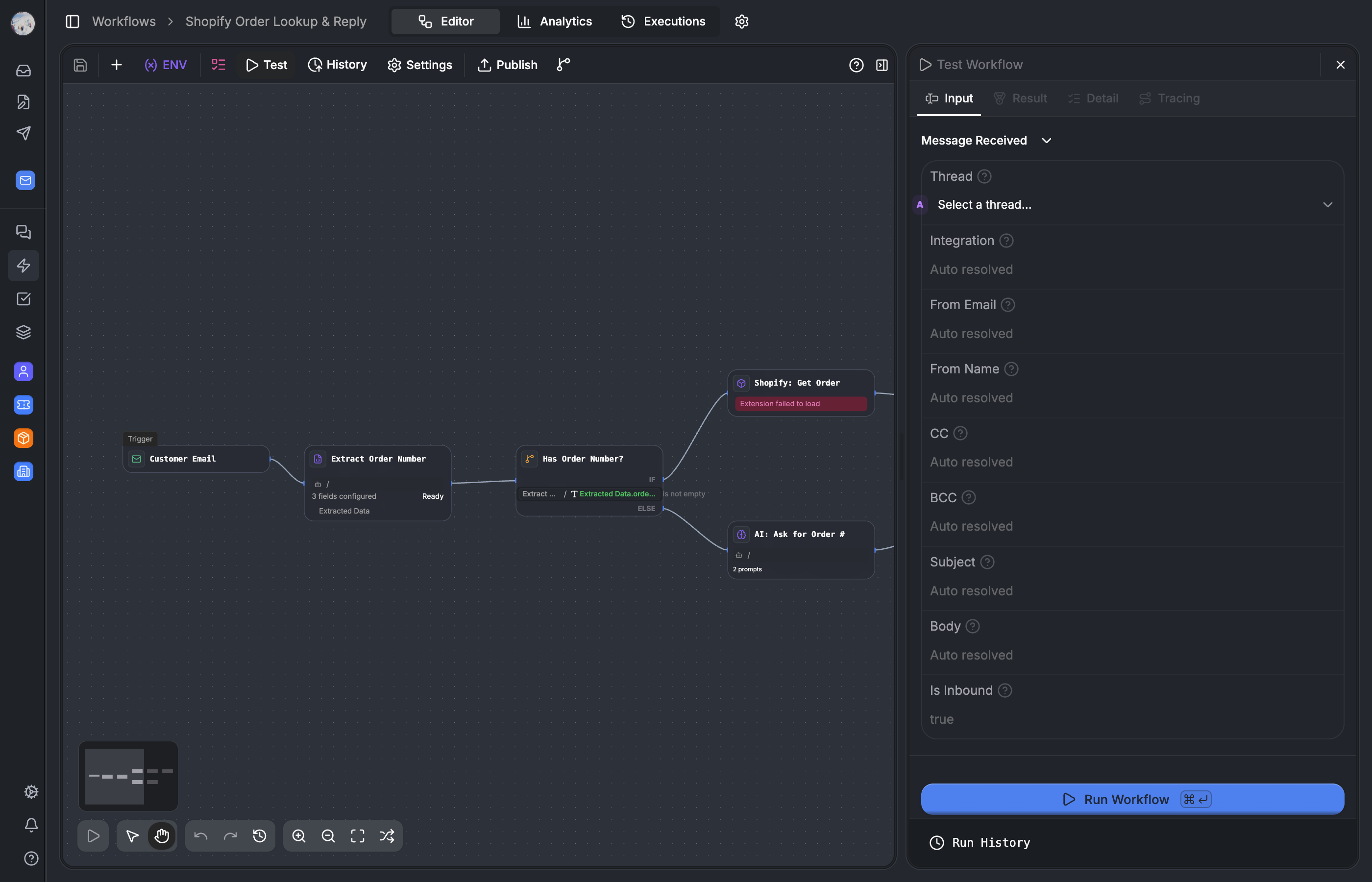

How we built the backend execution engine — a while-loop that processes a JSON graph node by node, with parallel branches, fork-join convergence, pause/resume, and real-time streaming via Redis pub/sub.
Part 1 covered the visual editor — React Flow, 30+ node types, 12 Zustand stores, and the JSON graph that comes out the other end. This post is about what happens when you hit "Run."
The execution engine is a standalone module in packages/lib/src/workflow-engine/. It has no dependency on React, the editor, or Next.js. It takes a JSON graph, a trigger payload, and a database connection, and executes the workflow node by node. The output is a completed WorkflowRun record with per-node execution logs, streamed to the browser in real-time via Redis pub/sub.
Part 3 covers the AI layer — how AI nodes invoke LLMs, how tool use turns workflows into agents, and how workflows get published as APIs and web forms.
The main loop
The engine is a while-loop, not an event loop. It processes one node at a time, advancing through the graph until it hits a terminal node, a pause, or an error.
// packages/lib/src/workflow-engine/core/workflow-engine.ts

async executeWorkflowNodes(
  currentNode: WorkflowNode,
  graph: WorkflowGraph,
  contextManager: ExecutionContextManager,
): Promise<void> {
  let iterations = 0
  const MAX_ITERATIONS = 1000

  while (currentNode) {
    if (iterations++ >= MAX_ITERATIONS) throw new MaxIterationsError()
    if (this.cancellationManager.isCancelled(executionId)) break
    if (this.isTimedOut(startTime, options.timeout)) throw new TimeoutError()

    // cycle detection (skipped for LOOP nodes)
    this.detectCycle(currentNode, contextManager)

    // join point? wait for other branches
    if (this.isJoinPoint(currentNode, graph)) {
      await this.handleJoinPoint(currentNode, graph, contextManager)
    }

    // execute the node
    await this.executeNodeInternal(currentNode, graph, contextManager)

    // determine next
    const nextNodeIds = graph.getNextNodeIds(currentNode.id, outputHandle)

    if (nextNodeIds.length === 0) break          // terminal node
    if (nextNodeIds.length === 1) {
      currentNode = graph.findNodeById(nextNodeIds[0])
      continue                                    // advance the loop
    }

    // multiple next nodes = fork
    await this.executeParallelBranches(nextNodeIds, graph, contextManager)
    break                                         // branches take over
  }
}
A few decisions here:
While-loop, not recursion. Recursive execution would blow the stack on long workflows. A workflow with 80 nodes in sequence is not unusual. A while-loop with explicit currentNode advancement keeps the call stack flat regardless of workflow length.
1000-iteration hard cap. This prevents infinite loops in user-authored workflows. Loop nodes have their own internal iteration limits, so the 1000 cap is a safety net, not the primary guard. In practice, legitimate workflows rarely exceed 200 iterations even with loops.
Single next = advance, multiple next = fork-and-break. When a node has one outgoing edge, the loop continues. When it has multiple (if-else branches, parallel fan-out), the engine forks into executeParallelBranches() and the current loop terminates. The branches each run their own executeWorkflowNodes() loop.
The graph builder — pre-computing structure
Before the first node executes, the engine builds a WorkflowGraph from the JSON. This is a one-time analysis pass that pre-computes everything the main loop needs.
// packages/lib/src/workflow-engine/core/workflow-graph-builder.ts

// build phase (once per workflow, cached):
// 1. parse nodes + edges from JSON
// 2. build adjacency indexes (edgesBySource, edgesByTarget, edgesBySourceHandle)
// 3. detect fork points (nodes with multiple outgoing edges)
// 4. detect join points (nodes with multiple incoming edges from different branches)
// 5. map forkId → joinId (pre-compute which fork resolves at which join)
// 6. detect loop nodes and their body subgraphs
// 7. detect cycles (outside of loops)
// 8. identify entry nodes and terminal nodes
The important part is step 5: fork-join mapping is pre-computed. At build time, the builder traces each forks branches forward to find where they reconverge. This means handleJoinPoint() can look up forkToJoinMap[forkId] in O(1) instead of traversing the graph at runtime.
The graph is cached by workflow ID. Building involves cycle detection and structural analysis — expensive for large graphs. The WorkflowEngine holds a Map<string, WorkflowGraph> so repeat runs of the same workflow (common in production) skip the build phase entirely.
edgesBySourceHandle is the index that makes conditional routing work. When an if-else node outputs case_id: "case_2", getNextNodeIds() uses this index to find only the edge connected to that specific output handle. Without it, youd have to scan all outgoing edges on every conditional node.
Node execution — two-phase lifecycle
Every node passes through two phases inside executeNodeInternal():
// packages/lib/src/workflow-engine/core/workflow-engine.ts

async executeNodeInternal(node, graph, contextManager): Promise<void> {
  const processor = this.nodeProcessorRegistry.get(node.data.type)

  // phase 1: preprocess
  // resolve variables, validate config, create DB record
  const preprocessResult = await processor.preprocessNode(node, contextManager)

  // phase 2: execute
  // run the actual logic
  const result = await processor.execute(node, contextManager, preprocessResult)

  // post: update DB record with outputs, elapsed time, status
  await this.updateNodeExecution(result)
}
Why two phases instead of one?
Preprocessing catches config errors before execution. If a node references a variable that doesnt exist, or has a malformed URL, the error is caught and reported as a WorkflowNodeProcessingError — distinct from a runtime WorkflowNodeExecutionError. This distinction matters in the UI: config errors show "fix your node" messaging, runtime errors show "something went wrong during execution." Users can tell whether the problem is their configuration or an external service failure.
The DB record is created during preprocessing. This means the execution trace shows the node as "running" before its execute() method starts. If the node crashes mid-execution, the DB record already exists and can be updated with the error. No orphaned executions.
The node processor registry
Each node type has a processor that implements the two-phase interface. The registry maps node types to processors:
// packages/lib/src/workflow-engine/core/node-processor-registry.ts

class NodeProcessorRegistry {
  private processors = new Map<string, NodeProcessor>()

  initializeWithDefaults() {
    this.register('manual', new ManualTriggerProcessor())
    this.register('webhook', new WebhookProcessor())
    this.register('scheduled', new ScheduledTriggerProcessor())
    this.register('if-else', new IfElseProcessor())
    this.register('ai', new AIProcessorV2())
    this.register('code', new CodeProcessor())
    this.register('http', new HttpProcessor())
    this.register('crud', new CrudProcessor())
    this.register('find', new FindProcessor())
    this.register('loop', new LoopProcessor())
    this.register('wait', new WaitProcessor())
    this.register('end', new EndProcessor())
    // ... 20+ more processors
  }

  get(type: string): NodeProcessor {
    // app nodes (e.g. "shopify:order_created") have a permissive fallback
    return this.processors.get(type) ?? this.getAppProcessor(type)
  }
}
Each processor is a class that knows how to preprocess and execute one node type. The IfElseProcessor evaluates conditions. The HttpProcessor makes HTTP requests. The AIProcessorV2 calls LLMs. They share nothing except the interface.
Parallel branches — fork, isolate, converge
This is the most complex part of the engine. When a node has multiple outgoing edges (an if-else with branches, or a deliberate parallel fan-out), the engine forks.
Fork → Branch A (isolated context) ──┐
                                      ├── Join → merge variables → continue
Fork → Branch B (isolated context) ──┘
Heres how it works step by step:
1. Fork detected. getNextNodeIds() returns multiple IDs. The graph builder has already pre-computed whether theres a join point downstream.
2. Branch contexts created. contextManager.createIsolatedBranchContext() creates a copy of the current variable state for each branch. Each branch gets its own ExecutionContextManager with an isolated variable scope. Branch execution IDs follow the format {executionId}-branch-{nodeId}.
3. Parallel execution. Promise.allSettled() runs all branches concurrently. Each branch runs its own executeWorkflowNodes() while-loop independently.
4. Join convergence. When a branch reaches the join node, it calls joinExecutionManager.markBranchArrived(). The join manager tracks expectedInputs (set of branch node IDs) vs completedInputs (branches that have arrived).
5. Merge. Once the join condition is satisfied, BranchMerger merges variable changes from all branches back into the parent context.
Why isolated contexts?
If two parallel branches both set customer.status, the isolated contexts mean they dont stomp on each other during execution. Branch A sets customer.status = "vip", Branch B sets customer.status = "standard" — they each have their own copy. The merge happens once, at the join point, under a defined strategy.
Without isolation, youd have race conditions. The branches run concurrently via Promise.allSettled, so the order of variable writes would be nondeterministic.
Join strategies
Not every fork needs to wait for all branches:
| Strategy | Behavior |
|---|---|
all (default) | Wait for every branch to arrive |
any | Continue when the first branch arrives |
count | Continue when N branches arrive |
timeout | Continue after a duration, with whatever has arrived |
Branch merge strategies
When branches converge, their variable changes need to be reconciled:
| Strategy | Behavior |
|---|---|
merge-all (default) | All variable changes from all branches are merged |
last-write | Last branch to arrive wins on conflicts |
first-write | First branch to arrive wins on conflicts |
custom | User-defined merge function |
Why Promise.allSettled?
We use Promise.allSettled, not Promise.all. One failing branch shouldnt kill the others. If Branch A successfully looks up a Shopify order but Branch B fails to call an external API, the join manager decides what to do based on the error strategy:
fail-fast(default): first branch failure stops everythingcollect-all: collect errors from all branches, then decidebest-effort: continue with whatever succeeded, as long asminSuccessfulBranchesis met
Pause/resume — human confirmation and wait nodes
Some nodes pause the workflow instead of completing. The engine needs to serialize its entire state, persist it, exit cleanly, and resume later — potentially on a different server instance.
Two node types cause pauses:
Human confirmation pauses execution, creates an approval request (email or in-app notification), and waits for approve/deny/timeout. When the approver responds, the workflow resumes from the next node with the approval response injected into context.
Wait pauses for a fixed duration or until a specific timestamp. A BullMQ job is enqueued to wake the workflow up when the time arrives.
How pause works
- The node processor throws a
WorkflowPausedException(not an error — its a control flow signal) - The engine catches it, serializes the
ExecutionContextManagerinto aStoredExecutionContext - The
WorkflowRunDB record is updated withstatus: 'paused',pausedNodeId,resumeAt, andserializedState - The engine exits cleanly
// packages/lib/src/workflow-engine/core/state-persistence-manager.ts

interface StoredExecutionContext {
  variables: Record<string, unknown>
  systemVariables: Record<string, unknown>
  nodeVariables: Record<string, unknown>
  logs: ExecutionLog[]
  executionPath: string[]
  joinStates: Record<string, SerializedJoinState>
}
The entire variable state, execution path, and join states are serialized. Everything the engine needs to continue from where it left off.
How resume works
- BullMQ job fires (or user approves) →
WorkflowExecutionServiceloads theWorkflowRun serializedStateis deserialized back into anExecutionContextManagerpause-resume.tsresolves the next node after the paused nodeexecuteWorkflowNodes()is called starting from that next node, with the restored context
This means a workflow can pause for days (waiting for human approval of a refund, for example) and resume with exactly the same state. No in-memory dependencies, no sticky sessions, no ambient state. The workflow can resume on a completely different worker instance.
Pause inside parallel branches
This is a subtle case. If one branch of a parallel fork pauses (hits a human-confirmation node) and the other branches complete, waitForBranchConvergence() detects the mixed state. It looks at all branch outcomes and returns one of three states:
converged— all branches arrived → execute the join nodewaiting— some branches paused → pause the entire workflowall-paused— all branches paused → emit terminal pause event
On resume, only the paused branch re-executes. The completed branches results are already in the serialized join state.
Loop execution
Loop nodes iterate over an array from the execution context (e.g., an array of orders returned by a find node).
// packages/lib/src/workflow-engine/core/loop-execution-manager.ts

// for each item in the array:
// 1. inject current item into context (loop.currentItem, loop.index)
// 2. execute the loop body subgraph (all nodes between the loop start and loop end)
// 3. collect results
// 4. advance to next item
A few details that matter:
Cycle detection is disabled inside loops. The engine knows loop body nodes will be revisited — thats the whole point. The visitedNodes set is scoped per iteration, not per workflow run.
Continue-on-error. LoopErrorHandler supports per-iteration error handling. One failed iteration (e.g., a Shopify API call fails for one order) doesnt stop the loop. Failed items are collected and reported in the loop output.
Memory management. LoopMemoryManager tracks memory pressure during large iterations. If a loop processes 10,000 items, it doesnt accumulate all intermediate results in memory — results are flushed periodically.
Progress tracking. LoopProgressTracker emits LOOP_STARTED, LOOP_NEXT, and LOOP_COMPLETED events so the editor can show progress: "Processing item 47 of 312."
Execution tracking
Every node execution is tracked with counters and context that feed into the run trace UI.
// packages/lib/src/workflow-engine/core/execution-tracking.ts

interface ExecutionTracking {
  executionCounter: number        // monotonic — node execution order
  lastExecutedNodeId: string      // predecessor for the trace view
  currentDepth: number            // incremented at fork, decremented at join
  forkContext: {
    forkId: string
    branchIndex: number
    executionPath: string[]
  }
}
executionCounter is the index field on WorkflowNodeExecution DB records. It determines the order nodes appear in the run trace. Even when parallel branches interleave their execution, the counter gives a total ordering.
currentDepth drives visual indentation in the trace. Forked branches appear nested under their fork point, so you can see at a glance which nodes ran in parallel.
predecessorNodeId enables the trace to draw arrows between executed nodes. This is different from the graph structure — the trace shows the actual execution order, which may differ from the visual layout (e.g., one branch of an if-else may have more nodes than the other).
Error handling
The engine has a typed error hierarchy that distinguishes between different failure modes:
// packages/lib/src/workflow-engine/core/errors.ts

WorkflowNodeError                    // base class
  ├── WorkflowNodeProcessingError    // config/validation — "fix your node"
  ├── WorkflowNodeExecutionError     // runtime — "something went wrong"
  ├── WorkflowNodeValidationError    // schema validation failure
  └── WorkflowNodeConfigurationError // missing required config
Error edges
If a node fails and has an outgoing edge with sourceHandle === 'onError', execution continues to the error-handler node instead of throwing. This lets workflow authors build fallback paths:
HTTP node → (success) → Process response
         → (onError) → Send notification → Log error → End
Without an error edge, the error propagates up and terminates the workflow with WORKFLOW_FAILED. The choice is the workflow authors — they can add resilience where it matters and let non-critical nodes fail fast.
Real-time execution streaming
The engine runs in a worker process (BullMQ). The editor runs in the browser via Next.js. They dont share memory. Redis pub/sub bridges the gap.
// packages/lib/src/workflow-engine/execution-reporter.ts

// engine emits lifecycle events:
type WorkflowEvent =
  | 'WORKFLOW_STARTED' | 'WORKFLOW_FINISHED' | 'WORKFLOW_FAILED'
  | 'WORKFLOW_PAUSED'  | 'WORKFLOW_RESUMED'  | 'WORKFLOW_STOPPED'
  | 'NODE_STARTED'     | 'NODE_COMPLETED'    | 'NODE_FAILED'
  | 'LOOP_STARTED'     | 'LOOP_NEXT'         | 'LOOP_COMPLETED'
The flow:
- Engine emits events to
RedisWorkflowExecutionReporterat each lifecycle transition - Reporter publishes to Redis channel
workflow:run:{runId} - The Next.js server subscribes to the Redis channel and forwards events as Server-Sent Events (SSE)
useRunStorein the editor receives events and updates node status indicators on the canvas — green for completed, yellow for running, red for failed
Every event schema is defined with Zod in events/types.ts. The publisher and subscriber agree on the shape at compile time. Malformed events are caught early and dont silently break the UI.
Why Redis pub/sub instead of WebSocket? Its the simplest correct bridge. The worker publishes, the web server subscribes and fans out to SSE clients. Each hop is stateless. You can scale workers and web servers independently without sticky sessions or shared state. Redis is already in the stack for caching and rate limiting — no new infrastructure.
The execution database — two-level tracking
Every workflow execution produces two levels of records:
// packages/database/src/db/schema/workflow-run.ts

export const WorkflowRun = pgTable('workflow_run', {
  id: cuid(),
  workflowAppId: varchar(),
  workflowId: varchar(),
  sequenceNumber: integer(),       // monotonic per workflow app

  graph: jsonb(),                  // snapshot of the graph at execution time
  inputs: jsonb(),
  outputs: jsonb(),

  status: workflowRunStatus(),     // running, completed, failed, paused, stopped
  error: text(),
  elapsedTime: doublePrecision(),
  totalTokens: integer(),
  totalSteps: integer(),

  serializedState: jsonb(),        // persisted state for paused workflows
  pausedNodeId: varchar(),
  resumeAt: timestamp(),
})
// packages/database/src/db/schema/workflow-node-execution.ts
export const WorkflowNodeExecution = pgTable('workflow_node_execution', {
id: cuid(),
workflowRunId: varchar(),
nodeId: varchar(),
nodeType: varchar(),
title: varchar(),
index: integer(), // execution order
predecessorNodeId: varchar(),
inputs: jsonb(),
processData: jsonb(),
outputs: jsonb(),
status: nodeExecutionStatus(), // running, completed, failed, skipped
error: text(),
elapsedTime: doublePrecision(),
})And for parallel branch tracking:
// packages/database/src/db/schema/workflow-join-state.ts

export const WorkflowJoinState = pgTable('workflow_join_state', {
  executionId: varchar(),
  joinNodeId: varchar(),
  forkNodeId: varchar(),

  expectedInputs: jsonb(),         // branch IDs that need to arrive
  completedInputs: jsonb(),        // branch IDs that have arrived
  branchResults: jsonb(),          // per-branch output data
})
Three decisions worth calling out:
WorkflowRun.graph snapshots the graph at execution time. Even if the workflow is edited after a run, the run record preserves exactly what was executed. This is essential for debugging ("what version was running when this failed?") and for audit ("what logic processed this customers refund?").
Node execution records are created before execution. The WorkflowNodeExecution row is inserted during preprocessing (phase 1) with status running. If the node crashes, the record exists and gets updated with the error. The run trace always shows every node that started executing, even if it didnt finish.
serializedState enables pause/resume. The entire execution context — variables, node outputs, join states, execution path — is stored as JSONB on the WorkflowRun row. No external state store, no Redis persistence requirements. The workflow can resume from the database alone.
Rate limiting
Public workflows (covered in Part 3) can be hit by external users. Rate limiting prevents abuse.
// packages/lib/src/workflow-engine/rate-limit/check-workflow-rate-limit.ts

// redis INCR + PEXPIRE sliding window
// per workflow app, optionally per user
// fails open — if Redis is unavailable, the workflow executes anyway
Rate limiting is checked before execution starts in WorkflowExecutionService, not inside the engine itself. The engine doesnt know about rate limits — its just told "run this graph." The separation keeps the engine focused on execution.
The "fails open" policy is deliberate. Rate limiting is a guardrail, not a gate. If Redis goes down, we prefer workflows to execute (and risk some abuse) over blocking all workflow execution entirely.
Key trade-offs
| Decision | Trade-off | Why we chose it |
|---|---|---|
| While-loop, not recursion | Less elegant code | Keeps call stack flat on 80+ node workflows |
| Pre-computed fork-join mapping | Build-time cost per new workflow | O(1) lookups in the hot path |
| Isolated branch contexts | Memory duplication per branch | Eliminates race conditions without locks |
Promise.allSettled over Promise.all | Slower failure detection | Branches are independent — one failure shouldnt cancel the rest |
| Full context serialization for pause | Large JSONB column | Enables stateless resume on any server instance |
| Two-phase node lifecycle | More complex processor interface | Clear error classification (config vs runtime) |
| Redis pub/sub for streaming | Extra infrastructure hop | Stateless bridge between worker and web server |
| Graph snapshot per run | Storage cost | Immutable audit trail, debugging without version archaeology |
Next up
Part 3 covers the layer that makes workflows more than simple automations: AI nodes that invoke LLMs with multi-turn prompts, the tool-use system that lets AI nodes call other workflow nodes as tools (turning workflows into agents), and how workflows get published as public APIs, embeddable web forms, and templates.